 Managers: Share this page with your team to ensure Twocents offers are redeemed properly.
Managers: Share this page with your team to ensure Twocents offers are redeemed properly.
Verifying Twocents Offers
How to quickly verify and fulfill a customer’s Twocents offer
When a customer receives an offer from your business, they can redeem it in-store using the Twocents app.
Follow the steps below to verify the offer is valid and redeem it correctly.
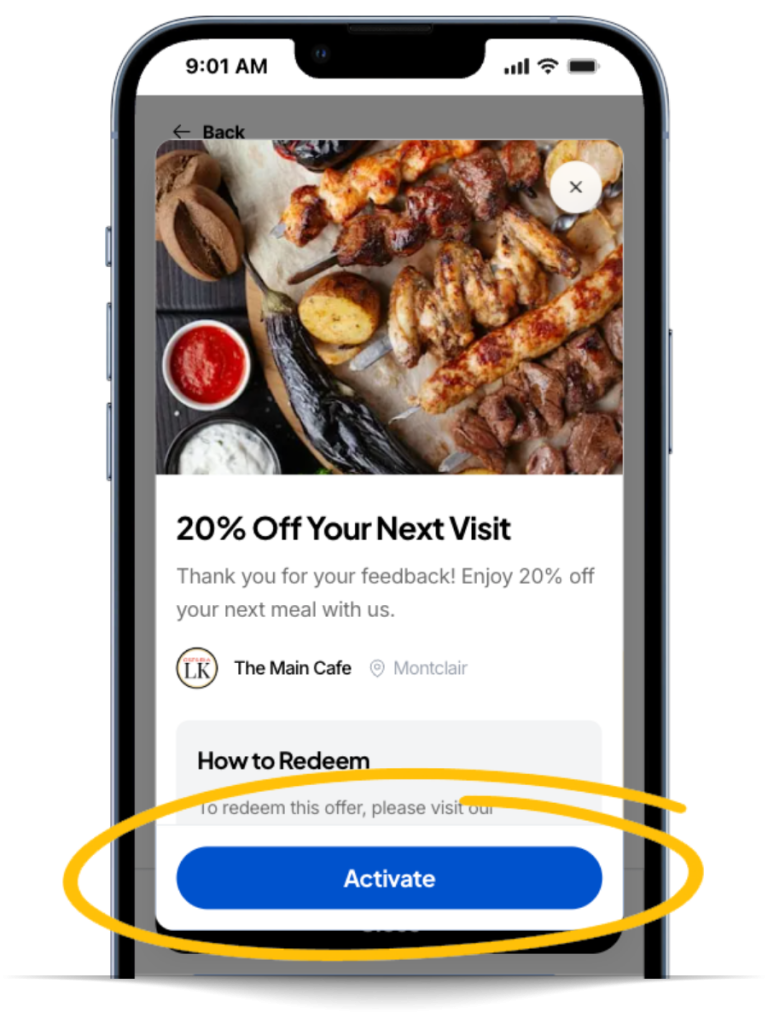
Step 1: Customer activates offer
The customer must tap “Activate” while they are physically present at your business.
Once activated, the offer is valid for 60 minutes and cannot be reused.
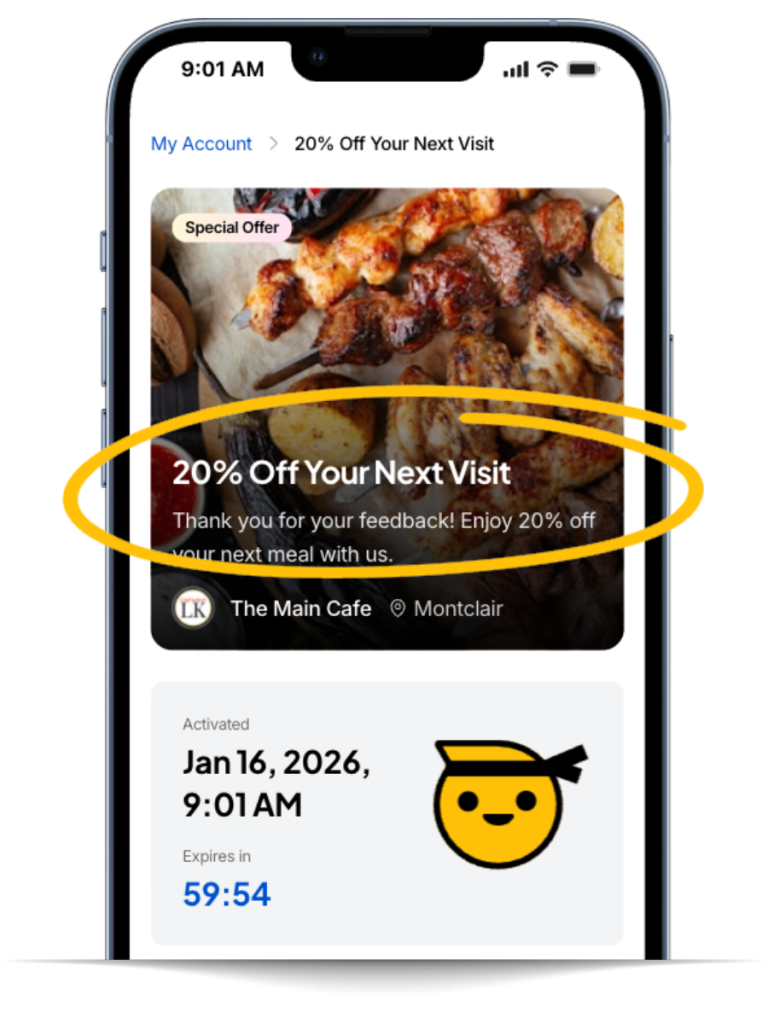
Step 2: Customer shows you the activated offer
The customer should show you the offer on their phone (inside the Twocents app).
Do not accept screenshots or screen recordings.
Step 3: Validate the offer (important)
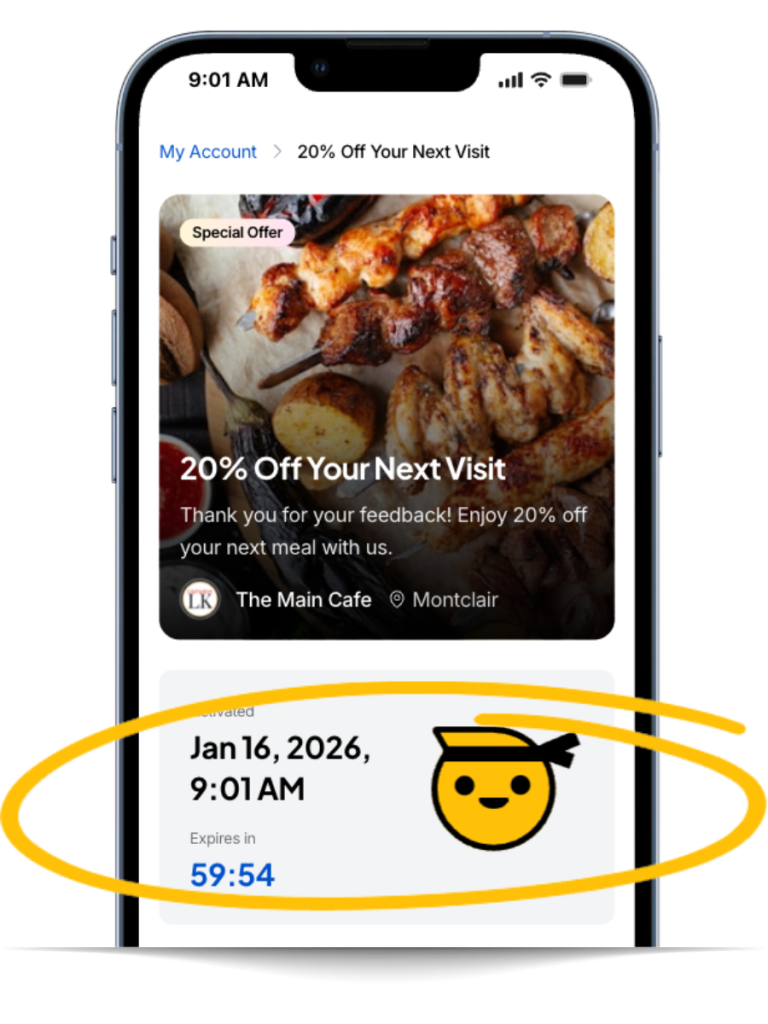
Confirm the offer is legitimate by checking the “Activated” section on the screen:
 The Centsei icon should be actively bouncing.
59:54 The countdown timer should be actively ticking down (not frozen).
The Centsei icon should be actively bouncing.
59:54 The countdown timer should be actively ticking down (not frozen).
If either of these is missing, the offer is not valid.

TIP: For additional confirmation, ask the customer to tap the Centsei icon (which releases confetti).
This confirms the offer is live and cannot be faked with a screenshot or recording.
TIP: For additional confirmation, ask the customer to tap the Centsei icon (which releases confetti).
This confirms the offer is live and cannot be faked with a screenshot or recording.
Step 4: Fulfill the order
Once validated, award the offer. If you need to apply it in your POS, just apply the matching offer using your preset shortcut, or by entering it manually.
That’s it — verifying a Twocents offer takes just a few seconds once you know what to look for.
Need help? Contact us at help@twocents.io